
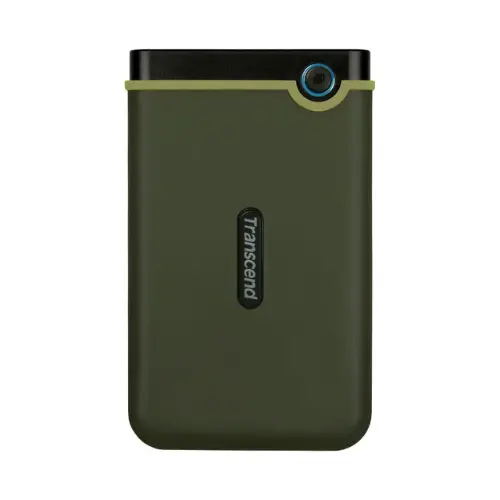
Transcend 2TB External Hard Drive | USB 3.1 Gen 1, 5Gbps Transfer Kenya
KSh 15,000.00 Original price was: KSh 15,000.00.KSh 13,000.00Current price is: KSh 13,000.00.
Transcend 2TB External Hard Drive — USB 3.1 Gen 1 at up to 5Gbps,
three-stage shock protection (silicone shell, reinforced casing,
suspension damper), 256-bit AES encryption via free Transcend Elite
software. Bus powered via USB — no adapter needed. Compatible with
Windows 7/8/10/11, macOS, and Linux in exFAT format out of the box.
Available at Yasaf Tech Centre, Nairobi.
The Transcend 2TB External Hard Drive stores up to 2 terabytes
of data on a portable, shock-resistant drive that connects via USB 3.1
Gen 1 at up to 5Gbps transfer speed. Three-stage shock protection —
silicone outer shell, reinforced inner casing, and suspension damper
system — protects the drive and your data from accidental drops.
No power adapter needed. Plug into any USB port on Windows, macOS,
or Linux and it works immediately.
Technical Specifications
| Feature | Detail |
|---|---|
| Brand | Transcend |
| Storage Capacity | 2TB (2,000GB) |
| Interface | USB 3.1 Gen 1 (up to 5Gbps) |
| Backward Compatibility | USB 2.0 and USB 3.0 |
| Power | USB bus powered — no external adapter needed |
| Shock Protection | Three-stage — silicone shell, reinforced casing, suspension damper |
| Encryption | 256-bit AES via Transcend Elite software (free download) |
| Backup Software | Transcend Elite — automatic backup scheduling, sync, encryption |
| Compatible OS | Windows 7/8/10/11, macOS, Linux |
| File System | exFAT (compatible with both Windows and macOS out of the box) |
| Design | Non-slip silicone outer shell, compact and lightweight |
| What Fits on 2TB | 500,000+ photos, 250+ HD movies, or millions of documents |
Where the Transcend 2TB External Hard Drive Gets Used in Kenya
Video producers and photographers — 2TB stores approximately
250 full HD movies or 100+ hours of 4K footage. Kenyan content
creators, wedding videographers, and photographers use external
drives like this to offload camera cards on location and transport
footage between shoots and editing workstations.
System and data backup — Use Transcend Elite software to
schedule automatic backups of your laptop or desktop.
Set it once and the software backs up new and changed files
automatically whenever the drive is connected.
256-bit AES encryption protects sensitive business data,
client files, and financial records.
Students and researchers — Store thesis data, research
databases, academic software, and years of coursework on
one drive. Carry it between home, campus, and the library
without worrying about accidental drops in a bag or backpack.
Small business file storage — Accounts, contracts,
client databases, and staff records for a typical Kenyan SME
rarely exceed 500GB. A 2TB drive provides years of storage
with room to grow. Use it as a shared drive between
office computers via USB switching or as a manual
offsite backup taken home daily.
CCTV and DVR footage archiving — Most Hikvision and
Dahua DVR systems support USB external storage for
footage backup. Copy footage from the DVR to the
Transcend drive for long-term archiving without
replacing internal DVR hard drives.
What the Transcend 2TB Is NOT Good For
- Speed-critical applications — At 5Gbps USB 3.1 Gen 1,
this drive is fast for file transfers but not suitable
for running virtual machines, editing 4K video directly
from the drive, or high-speed database operations.
For those tasks, an external SSD is the better choice. - NAS or network sharing — This is a USB drive,
not a network-attached storage device. It connects
directly to one computer at a time via USB.
For shared network storage, you need a NAS device. - Always-on server use — External HDDs are designed
for portable use, not continuous 24/7 operation.
For always-on storage, use an internal surveillance
HDD or a NAS-rated drive.
Common Questions
Does it work with both Windows and Mac without reformatting?
Yes. The drive ships in exFAT format which is natively
readable and writable on both Windows 7/8/10/11 and
macOS without reformatting or installing additional software.
Does it need an external power adapter?
No. The drive is powered entirely through the USB cable.
Plug it into any standard USB port on a laptop or desktop
and it powers on immediately. No wall adapter required.
Can I use it with my Hikvision DVR for footage backup?
Yes. Most Hikvision and Dahua DVR units support USB
external storage for manual footage export. Connect
the drive to the DVR’s USB port, navigate to the
backup menu, and copy the footage across.
Check your DVR’s manual for the specific backup procedure.
How do I encrypt the drive to protect my data?
Download the free Transcend Elite software from
Transcend’s website. It provides 256-bit AES encryption
for files stored on the drive, automatic backup scheduling,
and cloud sync options. No subscription required.
What is the warranty on Transcend drives in Kenya?
Transcend provides a 2-year manufacturer warranty on
this drive. Retain your purchase receipt from
Yasaf Tech Centre as proof of purchase for warranty claims.
Is it available at Yasaf Tech Centre in Nairobi?
Yes. The Transcend 2TB External Hard Drive is available
at Yasaf Tech Centre, Junction Trade Centre, Shop 501,
5th Floor, Nairobi. Order online for delivery across Kenya.
Reviews
There are no reviews yet.